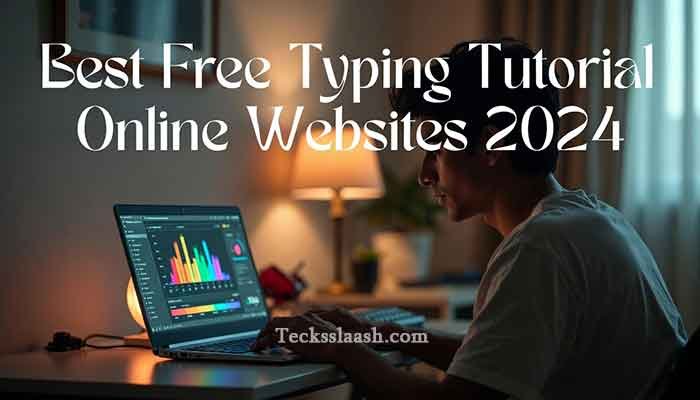
Best Free Typing Tutorial Online Sites to Practice Fast
INTRODUCTION
Let me be real with you — when I started my first office job, my typing speed was an embarrassing 28 WPM. My colleagues would finish their reports while I was still hunting for the “Q” key. That’s when I went down the rabbit hole of finding the best free typing tutorial online platforms that could actually help me improve without boring me to death.
If you’re here, chances are you’re a student, a fresher, or maybe someone preparing for a government exam that requires typing proficiency. Whatever your reason, I’ve tested over a dozen platforms so you don’t have to waste time on the bad ones. In this post, I’ll guide you through the absolute best free websites for typing practice — and tell you honestly which ones are worth your time.
QUICK SUMMARY TABLE — AT A GLANCE
| Platform | Best For | Free Plan | Difficulty Level | Certificate? |
|---|---|---|---|---|
| Typing.com | Complete beginners & intermediates | ✅ Yes | Beginner to Advanced | ✅ Yes |
| Keybr.com | Breaking bad habits, accuracy | ✅ Yes | Intermediate | ❌ No |
| 10FastFingers | Speed tests & competitions | ✅ Yes | All levels | ❌ No |
| TypeRacer | Gamified practice | ✅ Yes | Intermediate | ❌ No |
| Ratatype | Structured lessons + certificate | ✅ Yes | Beginner | ✅ Yes |
| Monkeytype | Minimalist speed training | ✅ Yes | Intermediate+ | ❌ No |
MY PERSONAL EXPERIENCE WITH TYPING TUTORIAL ONLINE PLATFORMS
I’ll be upfront — I didn’t stumble into this topic professionally. About three years ago, I was preparing for an SSC exam that had a typing component, and I panicked. I signed up for literally every platform I could find, sometimes practicing 45 minutes a day.
The biggest mistake I made early on? I focused 100% on speed. I’d race through lessons on 10FastFingers trying to hit 60 WPM, but my error rate was atrocious — sometimes 15-20% wrong keystrokes. My score barely improved because I was reinforcing bad muscle memory. A friend who was a data entry professional told me something that changed everything: “Fix accuracy first. Speed follows on its own.”
So I switched to Keybr.com for two weeks, focusing only on getting every word right. My accuracy went from 82% to 96%, and my speed — without specifically training for it — jumped from 38 WPM to 54 WPM almost automatically. That lesson stuck with me, and I’ll mention it wherever it’s relevant in this guide.
Read More: jQuery Tutorial for Beginners: Learn with Examples (2026)
MAIN CONTENT — THE BEST FREE TYPING TUTORIAL ONLINE WEBSITES
1. Typing.com — Best All-Around Free Typing Tutorial Online
If I had to recommend just one platform, especially for Indian students and office workers, it would be Typing.com. The free version is genuinely comprehensive — not a stripped-down trial.
Why I like it:
- Structured curriculum from home row basics to advanced speed drills
- Built-in typing tests with WPM and accuracy tracking
- Includes a free completion certificate (useful for resumes)
- Clean, distraction-free interface
The lessons are broken into beginner, intermediate, and advanced levels. You don’t need to create an account to start, though signing up saves your progress. Honestly, for anyone starting a typing tutorial online free journey, this is the most logical first stop.
2. Keybr.com — Best for Breaking Bad Typing Habits
Keybr uses an algorithm that identifies which keys you consistently miss and builds custom exercises around your weak spots. It’s not the prettiest interface, but it’s one of the smartest tools I’ve used.
Standout features:
- Adaptive lessons based on your error patterns
- Real-time feedback on finger placement
- No account required to start
If you’ve been typing for years but still look at the keyboard, Keybr is where you should spend your first two weeks. It forces touch typing from day one.
3. 10FastFingers — Best for Typing Practice Exercises and Speed Tests
10FastFingers is pure, no-nonsense typing practice exercises. You get a 1-minute test with the 200 most common words in English (or dozens of other languages, including Hindi transliteration options).
What makes it special is the multiplayer mode — you can race against others live. Nothing motivates you to practice harder than getting beaten by a stranger online. I genuinely found myself coming back daily just because of the competitive element.
4. TypeRacer — Best Gamified Typing Tutorial Online Free Experience
TypeRacer turns typing into a literal racing game. You type passages from books, movies, and songs to move your car forward. It sounds gimmicky, but it’s genuinely effective for intermediate users who are bored with standard drills.
The passages come from real literature, so you practice varied vocabulary and punctuation — which standard exercises often ignore.
5. Monkeytype — Best Minimalist Tool for Advanced Users
Monkeytype is for people who just want to type and get data. No lessons, no games — just clean, beautiful tests with deep analytics. You can customize test duration, word lists, themes, and even enable punctuation or numbers.
If you’re already above 50 WPM and want to push to 70-80+, Monkeytype is where serious typists hang out.
Comparison Table — Free Typing Tutorial Online Platforms
| Feature | Typing.com | Keybr | 10FastFingers | TypeRacer | Monkeytype |
|---|---|---|---|---|---|
| Structured Lessons | ✅ | ✅ | ❌ | ❌ | ❌ |
| Speed Tests | ✅ | ✅ | ✅ | ✅ | ✅ |
| Multiplayer Mode | ❌ | ❌ | ✅ | ✅ | ❌ |
| Progress Tracking | ✅ | ✅ | ✅ | ✅ | ✅ |
| Certificate | ✅ | ❌ | ❌ | ❌ | ❌ |
| Mobile Friendly | ✅ | Partial | ✅ | Partial | ✅ |
| Hindi/Regional Support | ❌ | ❌ | Partial | ❌ | ❌ |
COMMON PROBLEMS & PRACTICAL SOLUTIONS
Problem 1: “I’ve been practicing for weeks but my speed isn’t improving”
Solution: You’re likely practicing at your comfort level. Push yourself to type 10-15% faster than feels natural, even if your accuracy drops temporarily. Your brain needs to be challenged to adapt. Use Monkeytype’s “word burst” feature or 10FastFingers’ 30-second tests to force intensity.
Problem 2: “I keep looking at the keyboard no matter how hard I try”
Solution: Cover your hands with a cloth or cardboard while typing — old trick, but it works. Better yet, switch to Keybr for two weeks exclusively. Its adaptive algorithm specifically targets this issue by making you slow down until your fingers learn positions through repetition.
Problem 3: “The English typing tools don’t help me — I need Hindi typing practice”
Solution: For Hindi Mangal/Kruti Dev font typing (common for government exams), platforms like IndiaTyping.com are far more relevant. Most of the platforms listed above don’t support Devanagari scripts natively. This is honestly a gap in the market.
Problem 4: “I have no idea if I’m actually making progress”
Solution: Keep a simple weekly log — just note your WPM and accuracy every Sunday on the same 1-minute test on 10FastFingers. Progress in typing is slow and can feel invisible without data. Even a 3 WPM improvement per month means 36 WPM in a year — that’s the difference between 30 WPM and 66 WPM.
I. FREQUENTLY ASKED QUESTIONS
Which is the best free typing tutorial online for beginners?
Typing.com is consistently the best starting point. It has structured lessons from the absolute basics — home row keys, finger placement — all the way to advanced speed drills, completely free. It also offers a certificate, which is a bonus.
Can I get a typing certificate for free online?
Yes — both Typing.com and Ratatype offer free typing certificates upon completing their courses. These are not government-recognized certificates, but they’re decent for adding to a resume or LinkedIn profile to show initiative.
What is a good typing speed for office jobs in India?
Most private sector jobs in India expect 30-40 WPM with 90%+ accuracy as a baseline. Government data entry positions like those under SSC often require 35 WPM in English or 30 WPM in Hindi. Aiming for 50+ WPM puts you comfortably ahead.
Is there a typing tutorial online free download option?
Most modern platforms are web-based and don’t require downloads. However, if you need offline practice, Rapid Typing Tutor is a free downloadable software for Windows that offers structured lessons. For most people though, the online options are more than sufficient and easier to use.
How long does it take to improve typing speed from 30 WPM to 60 WPM?
From my observation, consistent practice of 20-30 minutes daily can take you from 30 to 60 WPM in roughly 2-3 months — provided you focus on accuracy first and don’t skip the boring foundational drills. Results vary based on how ingrained your old habits are.
CONCLUSION
If you’re serious about improving your typing, the good news is that the best tools are completely free. Here’s my quick recommendation based on where you are right now:
- Complete beginner? Start with Typing.com
- Breaking bad habits? Two weeks on Keybr.com
- Need motivation and competition? 10FastFingers multiplayer or TypeRacer
- Advanced and data-driven? Monkeytype is your home
My Final Verdict: Don’t spread yourself across five platforms at once — I made that mistake. Pick one, commit to it for 3-4 weeks, track your numbers, then reassess. Typing improvement is like going to the gym: consistency beats intensity every single time.
One last thing — if you’re practicing for a government typing exam specifically, make sure the platform you use matches the exam’s font and layout requirements. That’s a detail most generic guides skip, and it can genuinely cost you marks.
What’s your current typing speed, and which platform are you going to try first? Drop it in the comments below — I read every single one and sometimes reply with personalized tips!