Remaker AI: Best Free AI Tools You Should Try Today
Introduction
Let me be honest with you — I used to spend a ridiculous amount of time jumping between five different AI tools just to complete one project. One for background removal, another for face swap, another for image enhancement… it was exhausting. And most of them wanted a paid subscription before you could do anything useful.
That’s when I stumbled upon Remaker AI, and I couldn’t believe I hadn’t heard about it earlier.
If you’re an Indian tech user who’s tired of hitting paywalls every time you try a new AI tool, this post is for you. In this article, I’ll walk you through what Remaker AI actually offers, what my real experience with it has been, and whether it’s worth your time. No hype — just straight talk.
At a Glance: Remaker AI Quick Summary
| Feature | Details |
|---|---|
| Platform | Web-based (remaker.ai) |
| Pricing | Free tier available; paid plans exist |
| Best For | Image editing, face swap, AI photo tools |
| App Available? | No dedicated app; mobile browser works |
| Ease of Use | Beginner to Intermediate |
| Standout Tool | AI Face Swap |
| My Verdict | Solid free toolkit — genuinely useful |
My Personal Experience with Remaker AI
When I first landed on Remaker AI’s website, I was skeptical. Too many platforms promise “free AI tools” and then lock everything behind a credit system that drains faster than your phone battery at 10%.
I decided to test it properly. I uploaded a photo for background removal — something I do constantly for product images on this blog. The result came back in under 10 seconds, clean edges, no weird artifacts around hair. I was impressed.
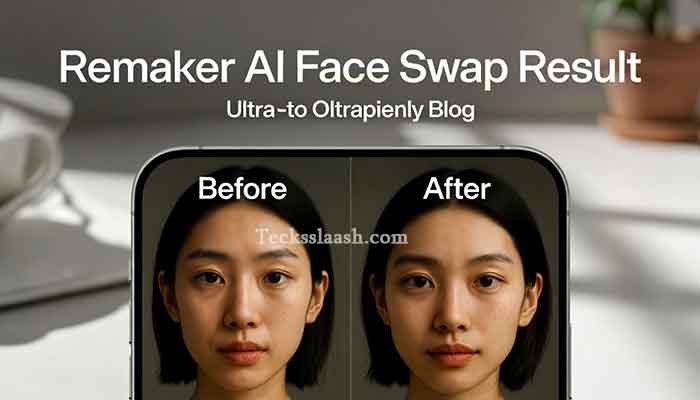
Then I tried the face swap tool, which is honestly what Remaker AI is most known for. I used it on a stock photo for a fun creative post I was working on. The output was surprisingly natural — better than some paid tools I’ve used.
The mistake I made early on: I didn’t realize the free tier has a daily credit limit. I burned through my credits on my first session by running the same image five times trying to get a “perfect” result. My advice — trust the first output more than you think you should, because Remaker AI is genuinely pretty accurate on the first attempt.
One thing I observed is that the platform works well on mobile browsers too, which matters a lot in India where many users are primarily on their phones. There’s no dedicated Remaker AI app download on the Play Store or App Store as of my testing, but the mobile web experience is smooth enough that it doesn’t feel like a dealbreaker.
Read More: Gamma AI Review: Create Stunning Presentations for Free
What Tools Does Remaker AI Actually Offer?
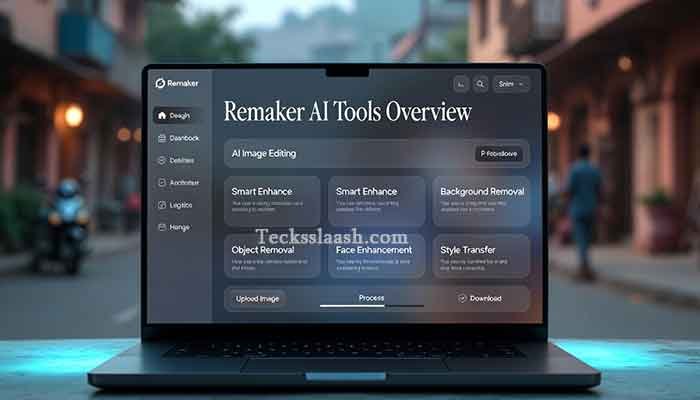
This is where it gets interesting. Remaker AI isn’t a one-trick pony. Here’s what’s inside:
AI Face Swap
Their flagship feature. Upload a source face and a target image, and the AI blends them realistically. The lighting matching is what sets it apart — most free face swap tools look obviously fake. Remaker AI holds up better.
AI Background Remover
Fast, accurate, and free. Works well even on complex images with hair or transparent objects. This alone could replace a paid Canva subscription for many users.
AI Photo Enhancer
Upscale and sharpen photos. Useful if you’re working with old images or low-resolution shots.
AI Headshot Generator
Upload a casual photo, get a professional-looking headshot back. I tested this and it’s hit or miss depending on your source photo quality — but when it hits, it really hits.
Other Remaker AI Tools
The platform continues adding tools — including object removal, color correction, and more. It’s evolving quickly, which I appreciate.
Remaker AI Free vs Paid: What You Actually Get
| Feature | Free Plan | Paid Plan |
|---|---|---|
| Daily Credits | Limited | More credits per day |
| Image Quality Output | Standard | Higher resolution |
| Processing Speed | Normal queue | Priority |
| Watermark | Sometimes | Removed |
| Access to All Tools | Most tools | All tools + new ones |
Honestly, for casual use — testing, personal projects, creative experiments — the free plan gets you surprisingly far. If you’re using it for professional or commercial work, the paid plan makes sense. But I wouldn’t rush into buying credits without trying the free tier first.
Is There a Remaker AI App Download?
This is one of the most common questions I see, so let me address it directly.
As of my testing, there is no official Remaker AI app on Google Play Store or Apple App Store. The platform is web-based and accessed through your browser at remaker.ai.
The good news? The mobile browser experience is responsive and functional. I used it on a mid-range Android phone and had no major complaints. If you’re hoping for an offline app, that doesn’t exist yet — but for what it offers online, you won’t feel too limited.
If you do come across a “Remaker AI APK download” on some random website, be cautious. These are not official and could be unsafe. Stick to the official website.
Read More: Visit the official Remaker AI website at remaker.ai
Common Problems & Practical Solutions
Problem 1: Running out of free credits too fast This caught me off guard too. Solution — be deliberate. Preview your image settings before hitting generate. You get better results by uploading a high-quality source image rather than regenerating multiple times.
Problem 2: Output quality drops on very complex images Face swap can struggle with extreme angles or poor lighting in the source photo. Solution — use front-facing, well-lit photos for best results. The tool performs noticeably better with straightforward inputs.
Problem 3: Can’t find where a specific tool is on the site The navigation can feel a bit cluttered if you’re visiting for the first time. Solution — use the search bar or the “All Tools” section to find what you need quickly rather than browsing through the homepage.
Problem 4: Watermarks on downloaded images Some outputs on the free plan carry a subtle watermark. Solution — if watermark-free output matters for your project, either use the paid plan or check if the specific tool you’re using applies a watermark (not all of them do).
Frequently Asked Questions
Is Remaker AI completely free to use?
Remaker AI offers a genuine free tier with daily credits. You can access most tools without paying anything, though there are limits on usage per day and some premium features require a paid plan.
Is there a Remaker AI app for Android or iPhone?
No official app exists right now. The platform works through the web browser at remaker.ai, and the mobile experience is quite decent on both Android and iOS browsers.
Is Remaker AI safe to use?
Based on my usage, yes. Stick to the official website (remaker.ai) and avoid any third-party APK downloads. Don’t upload sensitive or private photos — standard advice for any cloud-based AI tool.
How does Remaker AI face swap compare to other tools?
It’s one of the stronger free options out there. For casual use, it outperforms many free alternatives. It may not match premium paid tools like FaceApp Pro, but it punches well above its weight for a free platform.
Can I use Remaker AI for commercial projects?
Check their terms of service before commercial use. Generally, free-tier tools have restrictions on commercial usage — this is something I’d verify directly on their site before monetizing any AI-generated content.
Conclusion: My Final Verdict on Remaker AI
If you’re looking for a reliable, free AI toolkit to handle everyday tasks — background removal, face swapping, photo enhancement — Remaker AI delivers more than most free platforms I’ve tested. It’s not perfect, and the credit limits on the free plan will nudge you toward a paid upgrade eventually if you use it seriously. But as a starting point? It’s excellent.
My personal recommendation: go try it this week. Use the face swap or background remover on a real project you’re working on. You’ll get a much better feel for it than any review can give you — including this one.
The platform is clearly improving. New tools keep showing up, and the quality of outputs has been consistently good in my experience. For Indian users especially, having access to this level of AI capability for free (or very low cost) is genuinely valuable.
What about you? Have you tried Remaker AI or any similar free AI tool? Did it work the way you expected, or did you run into issues I didn’t mention? Drop your experience in the comments — I read every single one and I’d love to know what you think.