Minecraft Download Free – Easiest Ways to Play in 2026
Let me be honest with you—when I first searched “Minecraft download free” years ago, I ended up on three shady websites, downloaded two suspicious .exe files, and nearly gave my old laptop a virus. Sound familiar? If you’re an Indian gamer trying to get into Minecraft without burning through your wallet, you’ve probably been down that same rabbit hole.
In this post, I’ll walk you through the safest and most practical ways to do a Minecraft download—including the free options that actually work—so you don’t have to go through what I did.
At a Glance: Quick Summary
| Detail | Info |
|---|---|
| Game Name | Minecraft |
| Developer | Mojang Studios (Microsoft) |
| Latest Version | Java Edition 1.21.x / Bedrock 1.21.x (2025) |
| Free Option Available? | Yes – Minecraft Classic (browser-based) |
| Paid Version Price | ~₹1,699 (Java + Bedrock Bundle) |
| Best Platform for Free Play | Browser (Classic) or Trial via Microsoft |
| Verdict | Free Classic is great to start; buy the full version for the real experience |
My Personal Experience with Minecraft Download
Back in 2019, I was in college and Minecraft was all over YouTube. Everyone in my friend group was talking about it. But ₹1,500+ felt like a lot for a “block game.” So I did what most of us do—I searched for a free version online.
Here’s my honest mistake: I downloaded something called “Minecraft_Free_Full_Version.zip” from a random site. My antivirus caught a trojan inside it. That was a wake-up call. After that, I spent time actually researching legitimate free options, and I found that Mojang themselves offer a classic browser version—no download needed, completely free, and surprisingly fun.
Since then, I’ve also tested the trial version through a Microsoft account, which gives you about 90 minutes of the real Bedrock experience. That was enough to convince me to buy the actual game. And honestly? Best gaming purchase I’ve made.
The lesson: free versions exist, but only trust official sources.
What Is the Latest Version of Minecraft in 2025?
As of 2025, Minecraft has two major editions:
Java Edition is for PC (Windows, Mac, Linux) and is beloved by the modding community. The latest version is 1.21 “Tricky Trials” which introduced the Trial Chambers, the Breeze mob, and the mace weapon.
Bedrock Edition runs on Windows 10/11, mobile (Android/iOS), consoles, and more. It’s the cross-platform version. If you’re buying for the first time, Microsoft now sells a Java + Bedrock Bundle—you get both for one price.
How to Download Minecraft for Free – Legal Methods That Work
Method 1: Minecraft Classic (100% Free, Browser-Based)
This is the most overlooked option. Mojang released the original 2009 version of Minecraft as a free browser game to celebrate the game’s 10th anniversary. It’s still live.
- Go to classic.minecraft.net
- No download. No account. Just open and play.
- It has 32 blocks, creative mode only, and basic multiplayer
Is it the full game? No. But if you want to feel what Minecraft is like before spending money, this is your best starting point.
Read More: Play Minecraft Classic at classic.minecraft.net
Method 2: The Official Minecraft Trial (Bedrock)
Microsoft offers a limited-time trial of the full Bedrock Edition:
- Create a free Microsoft account
- Go to the Microsoft Store or minecraft.net
- Download the trial version (available on Windows and some mobile platforms)
- You get about 90 minutes of gameplay in Survival mode
It’s enough to explore, fight mobs, gather resources, and understand the game loop. I personally used this before buying, and it convinced me the game was worth every rupee.
Method 3: Education Edition (For Students)
If you’re a student with a school-issued Microsoft 365 account, you might have free access to Minecraft Education Edition already. Check with your school’s IT department. It’s widely used for coding and STEM learning in India now.
Read More: Roblox Voice Chat: How to Enable It in 2025
Method 4: Buying the Full Game (Worth It)
If you’re serious about Minecraft, buy it. At ₹1,699 for the Java + Bedrock bundle on the official site, it’s a one-time purchase with lifetime updates. No subscription. No microtransactions for the core game. In the long run, it’s one of the best value games in existence.
Java Edition vs. Bedrock Edition – Which Should You Get?
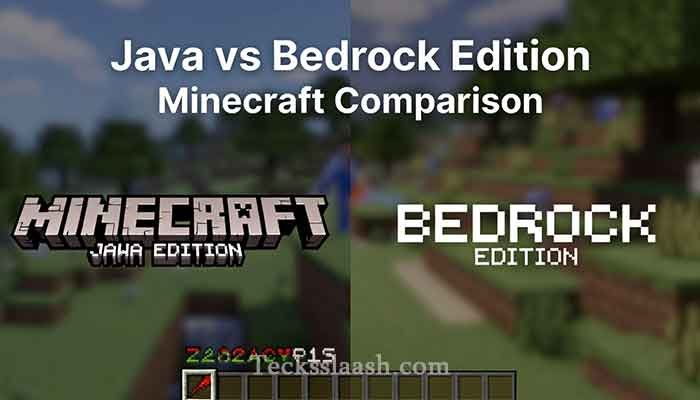
| Feature | Java Edition | Bedrock Edition |
|---|---|---|
| Platform | PC only | PC, Mobile, Console |
| Mods Support | Extensive | Limited |
| Cross-Play | No | Yes |
| Performance | Higher RAM usage | More optimized |
| Price | Bundled together | Bundled together |
| Best For | Modders, PC purists | Casual players, mobile users |
My take: If you’re on PC and love customization, Java is your pick. If you play on mobile or want to play with friends on different platforms, go Bedrock.
How to Make a Saddle in Minecraft
This is one of the most Googled Minecraft questions—and the answer surprises most new players.
You cannot craft a saddle in Minecraft. There is no crafting recipe for it.
Here’s how you actually get one:
- Fishing – Saddles are a rare treasure catch
- Chest Loot – Find them in Dungeons, Nether Fortresses, Desert Temples, or Villages
- Trading – Leatherworker villagers at Master level will trade a saddle for Emeralds
- Killing Ravagers – They always drop a saddle when defeated
I remember spending an entire session trying to figure out a saddle recipe as a new player. Once I learned it’s loot-only, everything made more sense. Keep a chest-looting mindset early in your game.
Common Problems & Practical Solutions
Problem 1: “Minecraft.net won’t load / keeps crashing during download” Solution: Use a stable Wi-Fi connection, disable VPN, and try a different browser. Sometimes Cloudflare blocking is the issue in India—switching DNS to 8.8.8.8 (Google) has worked for me.
Problem 2: “My Microsoft account isn’t accepting my Indian payment method” Solution: Use a Visa/Mastercard debit card or pay through the Microsoft Store app which supports UPI in some regions. Alternatively, buy a gift card from a store like Amazon India.
Problem 3: “I downloaded Minecraft from a third-party site and it’s not working” Solution: Uninstall it immediately and run a full antivirus scan. Only download from minecraft.net or the official app store for your platform. Third-party versions are almost always outdated, broken, or dangerous.
Problem 4: “Minecraft is lagging on my PC” Solution: Try lowering render distance to 6-8 chunks, turn off fancy graphics, and use Optifine (Java Edition) or the in-game performance settings. Also make sure Java is up to date if you’re on Java Edition.
Frequently Asked Questions
Q1: Can I really download Minecraft for free?
Yes—but the fully-featured game requires purchase. You can play Minecraft Classic for free in your browser at classic.minecraft.net, or try the limited Bedrock trial through your Microsoft account.
Q2: What is the latest version of Minecraft in 2025?
Both Java and Bedrock editions are currently on version 1.21 (“Tricky Trials”), which brought new combat mechanics, Trial Chambers, and the Breeze mob.
Q3: Is Minecraft safe to download from third-party sites?
No. Third-party Minecraft downloads are almost always illegal, often contain malware, and can damage your PC. Always use minecraft.net or an official app store.
Q4: How do I get a saddle in Minecraft?
Saddles cannot be crafted. Find them in dungeon chests, by fishing, through villager trades, or by defeating Ravagers.
Q5: Is Minecraft worth buying in India at ₹1,699?
In my opinion, absolutely yes. It’s a one-time purchase with no forced subscription, unlimited replay value, and one of the most active modding communities in gaming.
Conclusion
So here’s the bottom line: if you want a free Minecraft download, your two best legitimate options are Minecraft Classic in your browser and the official Bedrock trial from Microsoft. Neither requires spending money, and neither puts your device at risk.
But if you’re serious about the game—and trust me, most people get serious quickly—the full Java + Bedrock bundle at ₹1,699 is genuinely worth it. I’ve been playing on and off for years and never once regretted the purchase.
My Final Verdict: Start with the free browser Classic to see if the game clicks for you. Use the trial to feel the real experience. Then buy the bundle when you’re ready. Simple, safe, and smart.
Have you tried Minecraft Classic yet, or are you already a full-version player? Drop your experience in the comments below—I’d love to hear which edition you’re playing!