Chat GPT Free: How to Use Unlimited ChatGPT for Free
Introduction
Let me be real with you. A few months ago, my friend Rajan called me panicking before a job interview. He needed to practice for a case study round, but had no budget for ChatGPT Plus. ‘Yaar, koi free option hai kya?’ he asked. That question got me digging deep into everything available for Chat GPT free users — and what I found genuinely surprised me.
If you’ve been googling ‘Chat GPT free’ and wondering whether you can actually use it meaningfully without a subscription, this guide is exactly for you. I’m going to walk you through the free version, its real limits, smarter alternatives, and a few tricks I personally use to stretch the free tier as far as possible.
In this post, I’ll guide you through every legitimate way to get Chat GPT free online — no shady hacks, no misleading clickbait. Just practical, honest advice from someone who uses these tools daily for writing, research, and content strategy.
At a Glance: Chat GPT Free — Quick Summary
| Feature | Details |
| Platform | chat.openai.com / ChatGPT iOS & Android App |
| Cost | Rs 0 — completely free to sign up and use |
| Model Available (Free) | GPT-4o mini (with limited GPT-4o access) |
| Message Limit | ~40 messages per 3 hours on GPT-4o (then drops to mini) |
| Image Generation | Limited DALL-E access for free users |
| Best Feature | Memory, web browsing, and GPT store — all partly free |
| Verdict | Genuinely useful for everyday tasks; power users may hit limits |
My Personal Experience with Chat GPT Free
I have been using ChatGPT since it first launched, and I want to be upfront — I have gone back and forth between the free and paid versions multiple times. Here’s the honest truth from my own experience.
When I was scaling Tecksslaash in its early days, I was bootstrapping everything. Paying for ChatGPT Plus felt hard to justify. So I used the free version aggressively for blog outlines, email drafts, and quick research. And you know what? It handled about 80% of my daily workload without a hiccup.
The one mistake I kept making early on was hitting the usage cap right in the middle of a writing session. Super frustrating. I’d be mid-draft, ask a follow-up question, and boom — ‘You’ve reached your limit, please try again in X hours.’ The fix I discovered? Start your important sessions in the morning when the cap resets, and keep a second free account (with a different email) as a backup. Not ideal, but it works in a pinch.
Also, I noticed that free users now actually get access to GPT-4o — not just the older GPT-3.5. That was a massive upgrade OpenAI rolled out, and a lot of people still don’t know about it. You get a limited number of GPT-4o messages before it switches you to GPT-4o mini, but even mini is remarkably capable for most tasks.
How to Access Chat GPT Free — Step by Step
Step 1: Create Your Free Account
Head over to chat.openai.com. Click ‘Sign Up’ and register with your email, Google, or Apple account. The process takes under two minutes. No credit card required.
Read More: https://chat.openai.com — Official ChatGPT website by OpenAI
Step 2: Start Chatting Without Logging In (Yes, Really!)
Here’s a tip most people miss — you can actually use ChatGPT without even creating an account. Just go to chat.openai.com and click ‘Stay logged out’ or ‘Try it first’. You’ll get a limited version powered by GPT-4o mini with no history saved.
For casual queries, one-off tasks, or if you just want to try it, this is the fastest way to get started with Chat GPT free online.
Step 3: Know Your Free Limits
Once logged in for free, you get access to GPT-4o for a set number of messages (typically around 40 per 3 hours as of mid-2025). After that, you’re automatically switched to GPT-4o mini, which is still quite capable for most everyday writing and Q&A tasks.
- GPT-4o access: Limited (resets every few hours)
- GPT-4o mini access: Unlimited for logged-in free users
- Memory feature: Available but limited storage
- DALL-E image generation: A small daily quota
- Web browsing: Available in limited capacity
- Custom GPTs from the GPT Store: Browse and use many for free
Chat GPT Free vs Plus vs Team: Which Plan Makes Sense?
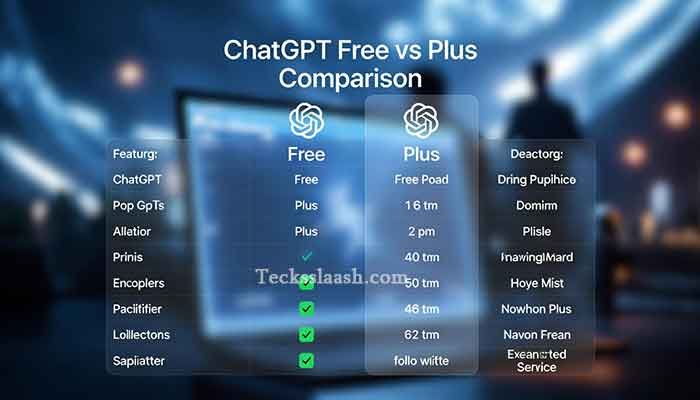
| Feature | Free | Plus (Rs ~1,700/mo) | Team |
| GPT-4o Access | Limited | 5x more messages | Higher limits |
| GPT-4o mini | Unlimited | Unlimited | Unlimited |
| DALL-E Image Gen | Limited quota | Higher quota | Highest |
| File & Doc Upload | Yes (limited) | Yes (more) | Yes |
| Advanced Data Analysis | Basic | Full | Full |
| Memory | Limited | Expanded | Expanded |
| Best For | Students, casual users | Professionals, daily power users | Teams & businesses |
Honestly, for most Indian users who are just getting started or using ChatGPT for part of their workflow, the free tier is more than enough. I’d only recommend Plus if you’re hitting the cap daily and it’s genuinely slowing your work down.
How to Get Chat GPT Free Unlimited — Practical Tips
Alright, here’s where I get into the real stuff. ‘Unlimited’ ChatGPT free isn’t literally possible — there are always caps — but you can get close to unlimited practical usage with the right approach.
Tip 1: Use the No-Login Mode for Quick Queries
For throwaway questions, use ChatGPT without logging in. This doesn’t touch your logged-in usage quota at all. Save your logged-in GPT-4o messages for tasks that actually need reasoning and depth.
Tip 2: Use Bing Copilot as a Supplement
Microsoft’s Bing Copilot runs on GPT-4 technology and is completely free with a Microsoft account. I personally use it when I’ve hit my ChatGPT limit. The responses aren’t identical, but for research, summaries, and writing help, it’s a genuinely solid fallback.
Tip 3: Use Claude.ai Free Tier
Anthropic’s Claude is another brilliant AI with a free plan. Different personality and approach than ChatGPT, but excellent for long-document analysis and nuanced writing. I keep it in my browser as a tab alongside ChatGPT.
Tip 4: Leverage the ChatGPT Mobile App
Oddly, I’ve found the mobile app sometimes gives a slightly smoother free experience for quick tasks. It’s also useful for using the voice feature, which is available to free users and is honestly underrated for brainstorming on the go.
Tip 5: Use GPTs From the Store
The ChatGPT GPT Store has hundreds of specialized AI tools — many are accessible for free. Whether you need a coding assistant, a resume reviewer, or a meal planner, explore the store before assuming you need Plus.
[Internal Link: Check out our article on ‘Best AI Tools for Indian Students in 2025’ for more free AI alternatives]
Common Problems & Practical Solutions
Problem 1: ‘You’ve reached your GPT-4o limit’ message
Solution: Don’t panic. Switch to GPT-4o mini — it’s still in the same chat window. Just be aware responses may feel slightly less nuanced on very complex tasks. For most writing and Q&A, you won’t notice a big difference.
Problem 2: Chat history not saving in no-login mode
Solution: This is by design. If you need to save responses without an account, copy-paste your important outputs into a Google Doc or Notion page as you go. Alternatively, create a free account — history is stored for logged-in users.
Problem 3: ChatGPT giving outdated information
Solution: The free version now includes limited web browsing, but it’s not always triggered. For current news or recent data, explicitly ask: ‘Search the web for the latest information on [topic].’ This prompts it to use the browsing tool.
Problem 4: Responses cut off mid-sentence
Solution: This happens when the output hits the token limit. Simply type ‘continue’ or ‘please finish your response’ and ChatGPT will pick up exactly where it left off. Works every time.
Frequently Asked Questions
Is Chat GPT free to use?
Yes, ChatGPT has a fully functional free version at chat.openai.com. You can even use it without signing up for basic queries. The free version now includes access to GPT-4o (with a message cap) and unlimited GPT-4o mini.
What is the difference between Chat GPT free and Plus?
The main differences are the volume of GPT-4o messages you get, higher limits on file uploads and image generation, and access to advanced features like deeper data analysis. For casual users, free is perfectly fine. Power users who use it for hours daily will benefit from Plus.
Can I use Chat GPT free unlimited without any restrictions?
Not entirely — there are always some usage caps, especially on the more powerful GPT-4o model. However, GPT-4o mini access is effectively unlimited for logged-in free users. Supplementing with Bing Copilot and Claude.ai can help you get very close to ‘unlimited’ AI assistance.
Is Chat GPT free in India?
Absolutely. The free tier is available globally including India. The Plus plan costs approximately Rs 1,700 per month when billed in Indian Rupees, but the free version requires zero payment. Just a sign-up with any email address.
Is it safe to use ChatGPT for free?
Yes, it’s from OpenAI, a reputable AI company. Standard digital safety practices apply — don’t share personal financial data, passwords, or sensitive private information in any AI chat. OpenAI’s privacy policy governs how data is handled.
Read our full Tecksslaash About page to learn more about our mission
My Final Verdict: Is Chat GPT Free Enough?
After using ChatGPT extensively across multiple workflows — content writing, research, coding help, and even casual brainstorming — my honest take is this: the free version is surprisingly powerful for 2025.
OpenAI has genuinely leveled up the free experience. GPT-4o mini is not a downgrade you should dread — it’s a solid, capable model that handles the majority of real-world tasks without breaking a sweat. The limited GPT-4o access adds a nice boost for more demanding queries.
My recommendation: Start with the free version. Use it seriously for a month. If you’re hitting the cap every single day and it’s blocking your productivity, then consider Plus. But don’t pay just because you assume free isn’t good enough — test it yourself first.
If you combine ChatGPT free with Bing Copilot and Claude.ai’s free tier, you have a genuinely robust AI toolkit without spending a single rupee.
What has your experience been with Chat GPT free? Have you found any clever tricks I missed? Drop your thoughts in the comments below — I read every single one and love hearing from the Tecksslaash community!Passionate about making technology simple, accessible, and actionable for the Indian digital community.