Jio AirFiber Explained: Plans, Recharge & Customer Care
If you’ve been tired of waiting for a fiber cable guy who never shows up — trust me, you’re not alone. I’ve heard this complaint from dozens of readers in Tier-2 cities who desperately want fast home internet but can’t get wired broadband. That’s exactly why Jio AirFiber caught my attention the moment Reliance announced it.
In this post, I’ll walk you through what Jio AirFiber actually is, how the plans work, how to recharge, and how to reach customer care when things go sideways. No fluff, just the stuff you actually need.
At a Glance: Jio AirFiber Quick Summary
| Feature | Details |
|---|---|
| Technology | Fixed Wireless Access (5G-based) |
| Installation | No cable digging required |
| Starting Price | ₹599/month (approx.) |
| Speed Range | Up to 1 Gbps (plan dependent) |
| OTT Benefits | Yes — multiple plans include streaming apps |
| Customer Care | 199 (Jio helpline) |
| Best For | Users without fiber cable availability |
My Personal Experience with Jio AirFiber
I’ll be real with you — I was skeptical at first. “Wireless home broadband” sounds great on paper, but I’ve been burned by similar promises before (remember those 4G routers that throttled after 100GB?).
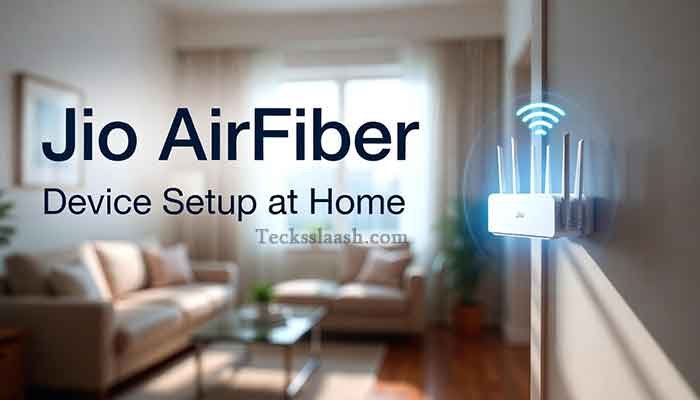
A close friend of mine in Nagpur got Jio AirFiber installed last year. His apartment building wasn’t wired for JioFiber, and the local cable options were terrible. Within 48 hours of applying through the MyJio app, a technician showed up, mounted a small device near his window, and he had 150 Mbps speeds running that same evening. No drilling through walls, no waiting weeks.
The one mistake he made? He picked the base plan without checking the OTT add-ons — ended up recharging separately for streaming. If you’re a binge-watcher, go straight for a higher-tier plan that bundles the apps. I’ll explain exactly which ones below.
What is Jio AirFiber, Really?
Jio AirFiber is a Fixed Wireless Access (FWA) service powered by Jio’s 5G network. Unlike JioFiber (which needs an optical cable laid to your home), AirFiber uses 5G signals beamed to a small CPE (Customer Premises Equipment) device installed at your location.
Think of it like a supercharged Wi-Fi hotspot that’s fixed at your home — except it’s pulling speeds that rival traditional broadband. This makes it a game-changer for:
- Apartments in buildings where fiber hasn’t been laid yet
- Semi-urban and Tier-2/3 city users
- Anyone who’s moved recently and can’t wait for new fiber installation
Read More: Jio’s official AirFiber page for users who want to check availability at their address.
Jio AirFiber Plans: What’s Available in 2025
Jio has structured AirFiber plans similarly to JioFiber — with a range from budget-friendly to premium. Here’s a breakdown based on currently available options:
Jio AirFiber Plan Comparison Table
| Plan Name | Monthly Price | Speed | Data | OTT Benefits |
|---|---|---|---|---|
| Bronze | ~₹599 | 30 Mbps | Unlimited (FUP applies) | Basic |
| Silver | ~₹899 | 100 Mbps | Unlimited | Mid-tier OTT |
| Gold | ~₹1,199 | 300 Mbps | Unlimited | Premium OTT bundle |
| Diamond | ~₹2,499 | Up to 1 Gbps | Unlimited | All OTT platforms |
Note: Plans and prices may vary by city and are subject to Jio’s updates. Always verify on the MyJio app or official website before recharging.
A few things worth knowing about these plans:
- Most plans come with truly unlimited data, though speeds may slow down after a certain threshold on lower plans (FUP — Fair Usage Policy).
- Higher plans bundle platforms like Netflix, Amazon Prime, Disney+ Hotstar, and more. If you already pay for these separately, upgrading your plan may actually save you money.
- Annual plans offer better per-month value compared to monthly recharges.
Read More: Jio 6G Launch Date in India: Plans, Speed & What to Expect
How to Do a Jio AirFiber Recharge
Recharging is dead simple once you’re set up. Here’s how I’d recommend doing it:
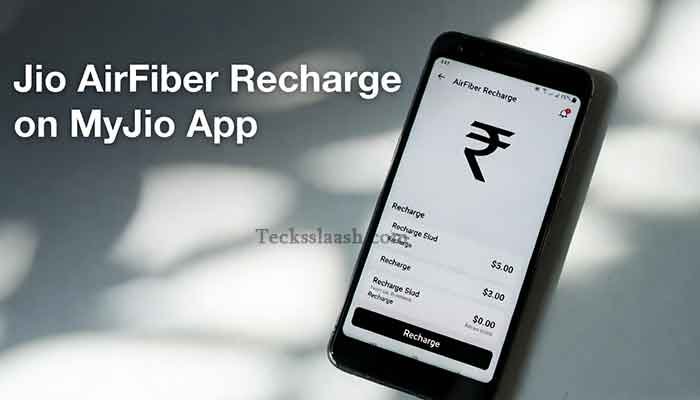
Via MyJio App (Easiest)
- Open the MyJio app and log in with your Jio number
- Go to “My Plans” or “AirFiber” section
- Select your plan and tap “Recharge”
- Pay via UPI, debit/credit card, or net banking
Via Jio.com Head to jio.com, go to the AirFiber section, enter your account number or registered mobile, and follow the recharge flow.
Via Offline Stores Walk into any Jio Store or authorized retailer with your registered mobile number. They’ll handle it for you.
One tip — set up auto-pay through the MyJio app. It ensures your connection doesn’t drop mid-month because you forgot to recharge. I’ve seen this happen more than once.
Jio AirFiber Customer Care: How to Get Help Fast
Honestly, this is the section most people need when things go wrong. Here are all the ways to reach Jio AirFiber support:
| Support Channel | Details |
|---|---|
| Helpline Number | 199 (from your Jio number, free) |
| Alternative Number | 1800-889-9999 (toll-free) |
| MyJio App | Raise a complaint under “Help & Support” |
| Jio Website | jio.com → Support section |
| Some regions support WhatsApp chat with Jio | |
| Twitter/X | @JioCare — usually responds within hours |
From my experience, calling 199 gets you to a live agent relatively quickly during non-peak hours (early morning or late evening). For technical issues like device reset or slow speeds, the MyJio app’s self-service troubleshooter actually resolves about 60-70% of common issues without needing an agent.
Common Problems & Practical Solutions
Problem 1: Slow speeds even on a higher plan This usually points to CPE device placement. The device needs line-of-sight to a 5G tower. If it’s placed deep inside a room or near thick walls, speeds suffer. Ask the Jio technician to reposition the device — ideally near a window facing the tower direction.
Problem 2: “AirFiber not available in my area” AirFiber coverage is expanding rapidly but isn’t universal yet. Check availability on jio.com using your pin code. If unavailable, you can register your interest and Jio will notify you when it reaches your area.
Problem 3: Recharge successful but connection not restored Wait 15-30 minutes after recharge — the system sometimes takes time to sync. If it persists, restart your AirFiber device (unplug for 30 seconds). Still stuck? Call 199 and quote your transaction ID.
Problem 4: OTT apps not activating after plan upgrade Log out and log back into each OTT app using your Jio credentials. Sometimes the subscription takes up to 24 hours to reflect. If it doesn’t activate within a day, raise a complaint via MyJio’s Help section.
Frequently Asked Questions
Q1: What is the difference between JioFiber and Jio AirFiber?
JioFiber uses a physical optical fiber cable laid to your home. Jio AirFiber uses 5G wireless signals via a CPE device — no cabling needed. AirFiber is ideal where fiber infrastructure isn’t available yet.
Q2: Can I use Jio AirFiber in a rented apartment?
Yes. The CPE device is compact and mounts near a window. Since there’s no cable drilling involved, it’s very renter-friendly. Just ensure your landlord is okay with the small mount fixture.
Q3: Does Jio AirFiber have a data limit?
Most plans are marketed as unlimited, but lower-tier plans have an FUP (Fair Usage Policy) after which speeds may reduce. Higher plans typically don’t have this restriction. Read your plan details carefully before subscribing.
Q4: How long does Jio AirFiber installation take?
After applying through MyJio or jio.com, installation typically happens within 24-72 hours in covered areas. In my friend’s case, it was done in under 48 hours.
Q5: Is the Jio AirFiber device owned or rented?
The CPE device is generally provided by Jio as part of your plan. Some plans may require a refundable security deposit. Confirm this at the time of installation.
Conclusion: Is Jio AirFiber Worth It?
If you’re in an area where JioFiber cables haven’t reached yet, Jio AirFiber is genuinely one of the best options available right now. The setup is fast, the speeds are competitive, and the plan flexibility is solid.
My final recommendation: Don’t just go for the cheapest plan. Look at what OTT platforms you’re currently paying for separately — there’s a good chance a mid-tier or premium AirFiber plan will bundle those and actually save you money overall.
[Internal Link: Read our full Jio broadband guide for more tips on choosing the right plan for your household]
Have you already tried Jio AirFiber, or are you still on the fence? Drop your experience or questions in the comments — I read every single one and I’m happy to help you figure out the right plan.